After installing the latest Vaults update along with the new piano, Vaults doesn’t show any interface in Logic 12.2 anymore.
Probably your best bet is to raise a support ticket.
Same here. Also after installing Vaults update and in Logic 12.2. Hope it get’s fixed soon. I’m curious to try the new piano 
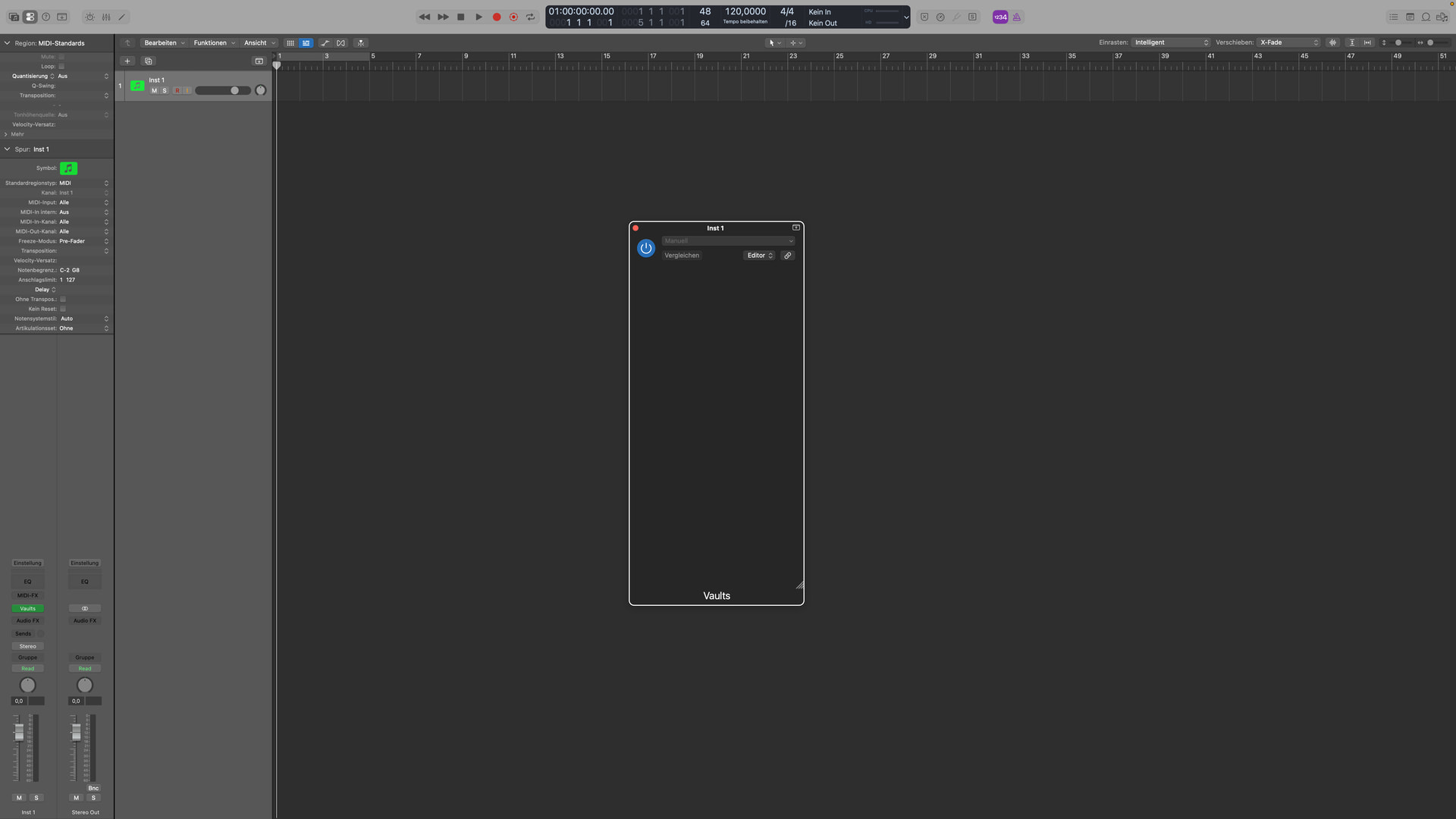
I don’t know if it helps but
- log out from the Crow Hill app
- quit DAW
- restart computer
I had a similar problem when I did the Vaults update. The new Vaults app wouldn’t install the Quiet Piano. It never showed up albeit several tries.
(Logic 10.8.1 and Sonoma 14.1.2)
Log out, quit, restart solved the problem.
Hope it helps.
Regards
Had the same problem …
Had upgraded to MacOS 26.4, Logic 12.2 > Vaults - Blank
Crow Hill Support suggested the following which worked
-
Make sure there are no Vaults-related files in your downloads folder
-
If ‘delete installation files’ is enabled, make sure your ‘download’ and ‘content’ locations are different places
-
Uninstall all Vaults instruments
-
Once the last one is finished uninstalling, wait a few minutes, then restart your system
-
Once restarted, install one instrument, then check that it opens in your DAW
-
Proceed to install the others