Hi,
New to the forum so forgive me if this is a known issue.
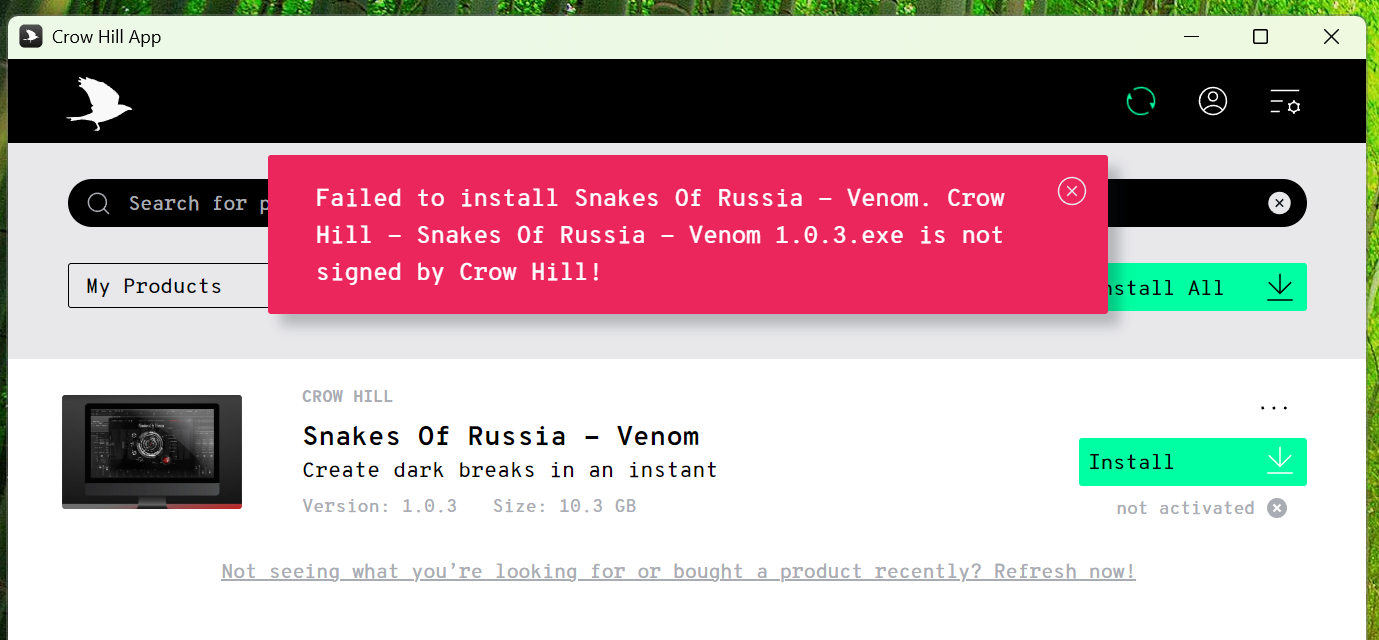
I just clean installed Win 11 and I am trying to install Venom but, the app gives me an error message that “Venom 1.0.3.exe is not signed by Crow Hill”.
Hopefully this screenshot works:
Any ideas how to fix this?
Thanks!
If you haven’t done so already, it’s probably best to raise a support ticket through the support page - it’s unclear whether TCHC support monitors this forum.
Good call, Ed. Thanks for the link. That should have been my first port of call.
This issue should be resolved now.
As @ed.harper pointed out, always get in touch with our customer support team with any issues but folks are certainly free to post problems here to see if the good folks of the network can help.
Apologies for the thread. I couldn’t find where to log a support ticket but, thanks to Ed’s helpful link I logged the issue and installed Venom successfully.
Just in case anyone else found an issue installing and running “Snakes of Russia - Venom”, or, as with me, “Concussion Drums”, I got both installed and running in Studio One 6.6, thanks to David, from the Crowhill Support team. Here is what he suggested:
"Hey again,
That sounds like our background authorisation system has been disabled.
If you go to System Settings > General > Login Items, in this list there should be one or more of the following items:
ARCHICAD
Codemeter
WIBU-SYSTEMS AG
If you could enable these, that should fix the issue."
I just used Task Manager (Windows 11) and found “Codemeter” (in two forms) and I right-clicked to “Enable” them. That did it! I am so happy!
Thanks, David!
1 Like